Make the location clear.
An image and its request belong together. Give “this” and “here” a visible reference, with less explaining and matching things up.
 Peat Flow
Expression and feedback for working with AI
Peat Flow connects your intent with the power of AI.
A friend invited you. Invite code:
Download, sign in, then enter this code in the app.
CopiedNew users get $30 in product credits. No card needed.
“This could be better.”
Peat FlowImages, voice and intent, together
Why we exist
Producing an answer is getting easier. Knowing what is still wrong and where to go next draws on your taste, experience and judgment.
We want every judgment to become an easier way to move work forward.
CorrectDirectReview
Beyond screenshots. Beyond dictation.
Screenshots, voice, text and history become one connected way to express yourself. You do not have to become a prompt expert first.
An image and its request belong together. Give “this” and “here” a visible reference, with less explaining and matching things up.
Speak naturally. Let cleanup handle pauses, repetition and corrections, making feedback clearer and closer to what you mean.
History keeps useful images and words. Vocabulary keeps important terms. What you have already expressed need not start from scratch.
Screenshots / Multi-image paste / Voice / Text cleanup / History and vocabulary
Expression, made easier
Turn scattered speech into clear instructions. When needed, express them in another language.
AI cleanup
Keep your meaning, remove filler, resolve spoken corrections and separate each change. Even voice cleanup alone can make expression easier.
Your speech
Make this button blue… actually, green. Then make this heading bigger, and add more space below it. Um, make that 24. Keep everything else unchanged.
AI-organized instructions
Express yourself beyond language
Say the content you want to write. Peat Flow cleans up your speech, then outputs it in the language selected for this session.
Your spoken English
The proposal looks good, but we need to move delivery to next Wednesday.
Cleaned-up French
La proposition me convient, mais nous devons reporter la livraison à mercredi prochain.
Your spoken English
Make this button green and set the spacing below it to 24.
Cleaned-up French
Mets ce bouton en vert et règle l’espace en dessous à 24.
The screenshot stays unchanged; the instructions use your selected language.
Illustrative content · Language selection applies to this session, without changing the app language. Review before sending.
Flow, with clear boundaries
Screenshots themselves are not uploaded. Point & Say sends audio and text in marked areas to the cloud for transcription and organization. History stays on your Mac.
Privacy ↗Made for Mac workflows. Paste screenshots and requests together into inputs that support images and text. You review the content and choose which AI receives it.
Installation & help ↗Start free
Pro includes $100 in product credits each month; Ultra has no monthly credit cap. Screenshots and multi-image paste stay free.
$0
forever
$6.99/month
or $69.90/year
$19.99/month
or $199.90/year
Pro includes $100 in paid product credits per month, resetting each credit cycle without rollover; annual plans also provide credits monthly. Eligible new users receive a one-time $30 welcome grant. Only the inviter receives $100 after a friend’s first qualifying payment; the friend receives no additional referral reward. Each gift expires 90 days after issue; multiple gifts can accumulate and are managed separately from paid cycles. New subscriptions have no trial and become paid after payment confirmation. Ultra has no monthly credit cap; the 5-minute recording limit and fair-use rules still apply. Credits cannot be withdrawn or exchanged for cash. Subscription prices and taxes are confirmed at checkout.
Before you begin
Product credits are used for cloud transcription and AI tidy-up. They are not cash and cannot be withdrawn or exchanged for cash. Credits are used only on successful delivery; failed or cancelled requests are not charged, and retries are not charged twice.
Eligible new users receive $30 once. After a friend’s first qualifying payment, only the inviter receives $100 in product credits. The friend gets no extra referral gift but may still qualify for their own welcome grant. Each gift lasts 90 days and multiple gifts can accumulate. Paid credits reset each cycle without rollover.
New subscriptions have no trial. Pro or Ultra becomes paid after you confirm and complete payment. Welcome credits need no card and let you try the product first; they are not a subscription trial and never trigger automatic billing when exhausted.
Up to 5 minutes. Recording stops at the limit and processing follows. System conditions may cause a safety pause or extra waiting; follow the app’s status. Review the result before using it. Uninterrupted capture and perfect accuracy are not guaranteed.
Dictation primarily turns sound into text. Point & Say also pairs your speech with marked locations and uses cloud AI to remove fillers, handle corrections and organize paragraphs into a clearer brief.
Point & Say sends your voice and the text inside the areas you circle to our server to transcribe and tidy up; the screenshot itself is pasted locally. Your history is stored only on your Mac.
Images and text can paste automatically when the input supports them and keeps focus. Otherwise, click back and press ⌘V. Review before sending.
A Mac with Apple silicon running macOS 14 or later. Point & Say needs an internet connection.
Any time, from the link in your receipt. Pro stays on until the end of the period you paid for. Not happy? Full refund within 14 days.
No. Peat Flow organizes and prepares images and text, pasting them where supported. You review and send. The destination app controls how your message is processed.
Peat Flow · Chase perfection.
Make “this could be better” clear. Leave more time for what you create next.
Download for MacFree download · macOS 14 or later · Apple silicon
See it in action
Hold the shortcut, mark the spot, and say what to change. Release to bring the screenshot and organized instructions to AI together.
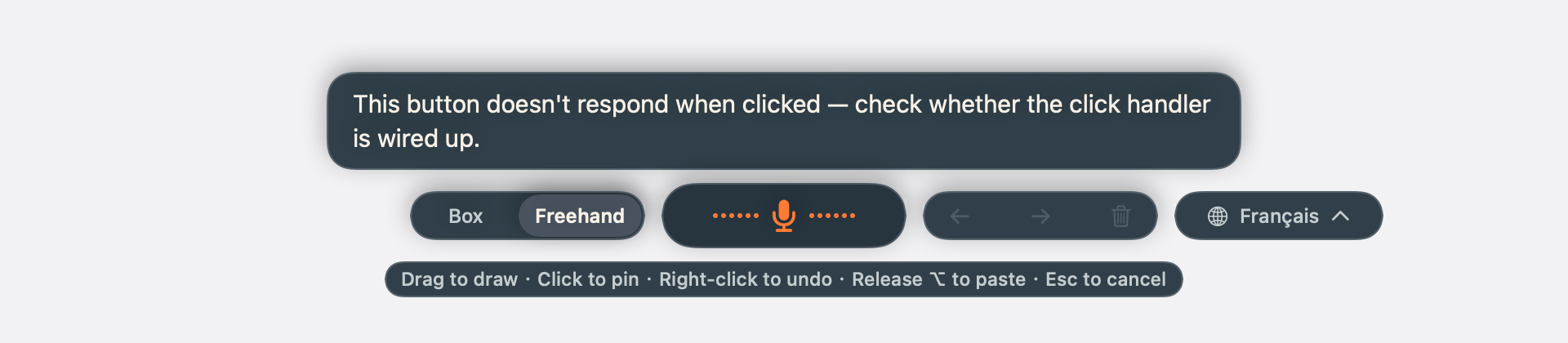
Choose a marked area and see screenshots and requests come together.

Capture, find the image, type and explain where. Again.
Click the marked areas on the left to choose your changes.
Click the marked areas on the left to choose your changes.
Workflow illustration · Preset content, no recording or AI connection
Review before sending. Auto-paste needs support and focus; otherwise click the input and press ⌘V.
Your feedback, encouragement and ideas mean a lot to us. What do you love? What could be better? Tell us right here.